User Manual
What is it, and how does it work?
An alias is a keyword linked to an application. When users type it, the application will launch as configured.
Create a list of shortcuts, configure them, and save time by simply typing the shortcut and pressing ENTER.
To display the window, the default shortcut is Ctrl + Alt + Space.
Ctrl + Altbehaves the same way as AltGr.
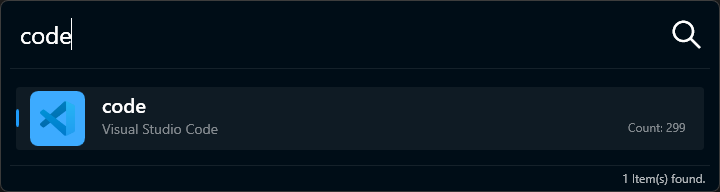
When you use the shortcut, a window appears:
- In the search box, enter the keyword you want to execute.
- As you type, you’ll see results that match your input (point 2).
- Press
ENTERto execute the first item in the list. - Alternatively, click on the item you want to execute.
What is a command line?
A command line follows this structure:
command[space]parameters
- The text before the first space is the command—the action to be executed.
- Everything after the first space is the parameters, which modify the behavior of the command.
If the command starts with any of the following characters:
$ & | @ # ) § ! { } - _ \ + * / = < > ; : %
then the first character is considered the command, and the rest are the parameters.
For example, if you have configured a Google search command as follows:
| Keyword | File Name |
|---|---|
| search | https://www.google.com/search?hl=en&q=$W$ |
then to search for “aeroplane” in Google, you would type:
search aeroplane.
The use of
$W$is explained HERE.